Skip to content

Maintain, reset & reconnect

Overview
Details

Export the active configuration, record network credentials and keep output safely controlled before resetting the controller.

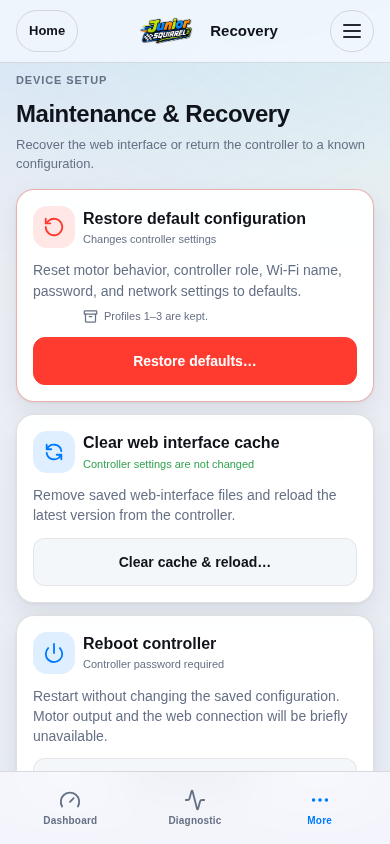
Open Menu → Recovery and read the action list. Clear cache/reload resets browser interface state. Reboot restarts the controller. Restore default configuration replaces active settings.

Choose the action that addresses the reported problem; these actions have different consequences.
Step 1 / 5
Choose a recovery actionSimulation
Production route rendered from firmware-served assets; board features reflect DRV1100BDV5.
View 1 / 1

Enlarged screen

Production route rendered from firmware-served assets; board features reflect DRV1100BDV5.

Capture details

Production route rendered from firmware-served assets; board features reflect DRV1100BDV5.

Evidence
Development Hub simulation · DRV1100BDV5
UI state
mode-normal has-floating-action-rail has-sticky-primary-action
Viewport
390 × 844 · actual viewport
Page position
0, 0 px
Scenario
hub/default-configuration.yaml
Virtual time
301728 µs
Route
/maintenance.html

Choose a topic