
Skip to content

Calibrate pedals & Single Pedal

Overview
Details

Check the sensor wiring and raw readings. Keep output off before enabling or calibrating an input.

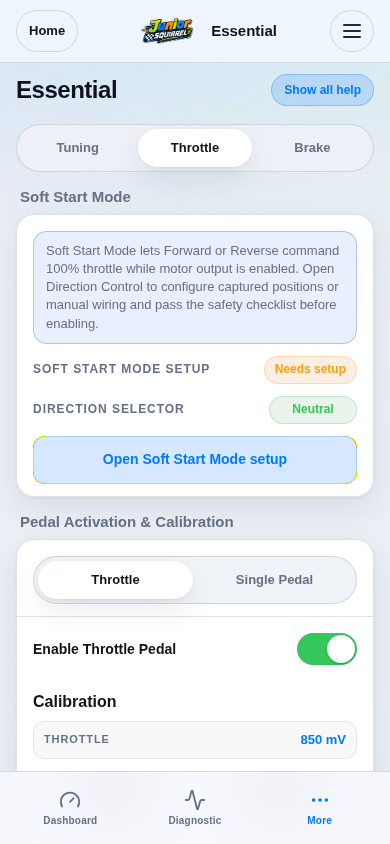
Open Essential and select the relevant input tab. Enable only the intended input; enable toggles may save immediately.

For Single Pedal, enable Brake Function and select the Single Pedal view. This overrides the separate brake input.
Step 1 / 6
Choose Throttle, Brake or Single PedalExample valuesSimulation
Essential Throttle tab and live simulated sensor inputs.
View 1 / 3

Enlarged screen

Essential Throttle tab and live simulated sensor inputs.

Capture details

Essential Throttle tab and live simulated sensor inputs.

Evidence
Development Hub simulation · DRV1100BDV5
UI state
mode-normal has-floating-action-rail has-sticky-primary-action
Viewport
390 × 844 · actual viewport
Page position
0, 0 px
Scenario
hub/default-configuration.yaml
Virtual time
301728 µs
Route
/settings-essential.html#throttle

Choose a topic